

How to Choose a TV Cabinet: Size, Storage and Style Guide
A good TV cabinet does more than hold a television. It creates a focal point, keeps media devices organised, conceals visual clutter and gives the living room a more balanced appearance.
The best TV cabinet for your home should be wider than the television in most layouts, strong enough for the equipment it supports, suitable for your seated viewing height and designed with enough ventilation and cable access for your devices. Before buying, measure the television, available wall, viewing position and delivery route—not just the screen's advertised size.
This guide explains how to choose a TV cabinet for a Malaysian home, whether you are furnishing a compact apartment, a family living room or a larger entertainment area.
TV cabinet, TV console or TV unit: what is the difference?
The terms TV cabinet, TV console, TV stand and TV unit are often used interchangeably. In practice, they usually describe low furniture designed to support a television or sit beneath a wall-mounted screen.
A TV console may refer to a more open, streamlined design, while a TV cabinet often includes drawers, doors or enclosed compartments. A larger TV unit can also include shelves or storage extending around the screen. Product naming varies, so focus on dimensions, load capacity, storage and cable management rather than the label alone.
TV cabinet selection at a glance
| Your priority | Look for | Check before buying |
|---|---|---|
| A balanced TV wall | A cabinet wider than the TV | Actual TV width, cabinet width and wall space |
| More concealed storage | Drawers or cupboards | Internal compartment dimensions and hinges |
| Gaming or media equipment | Open shelves and cable openings | Device clearance, airflow and socket position |
| A compact living room | Low-profile, visually light design | Door swing, walking space and viewing distance |
| Easy cleaning | Raised legs or accessible clearance | Floor clearance and product care instructions |
| A calm Scandinavian look | Clean lines and light or natural wood tones | Finish, storage needs and the rest of the room palette |
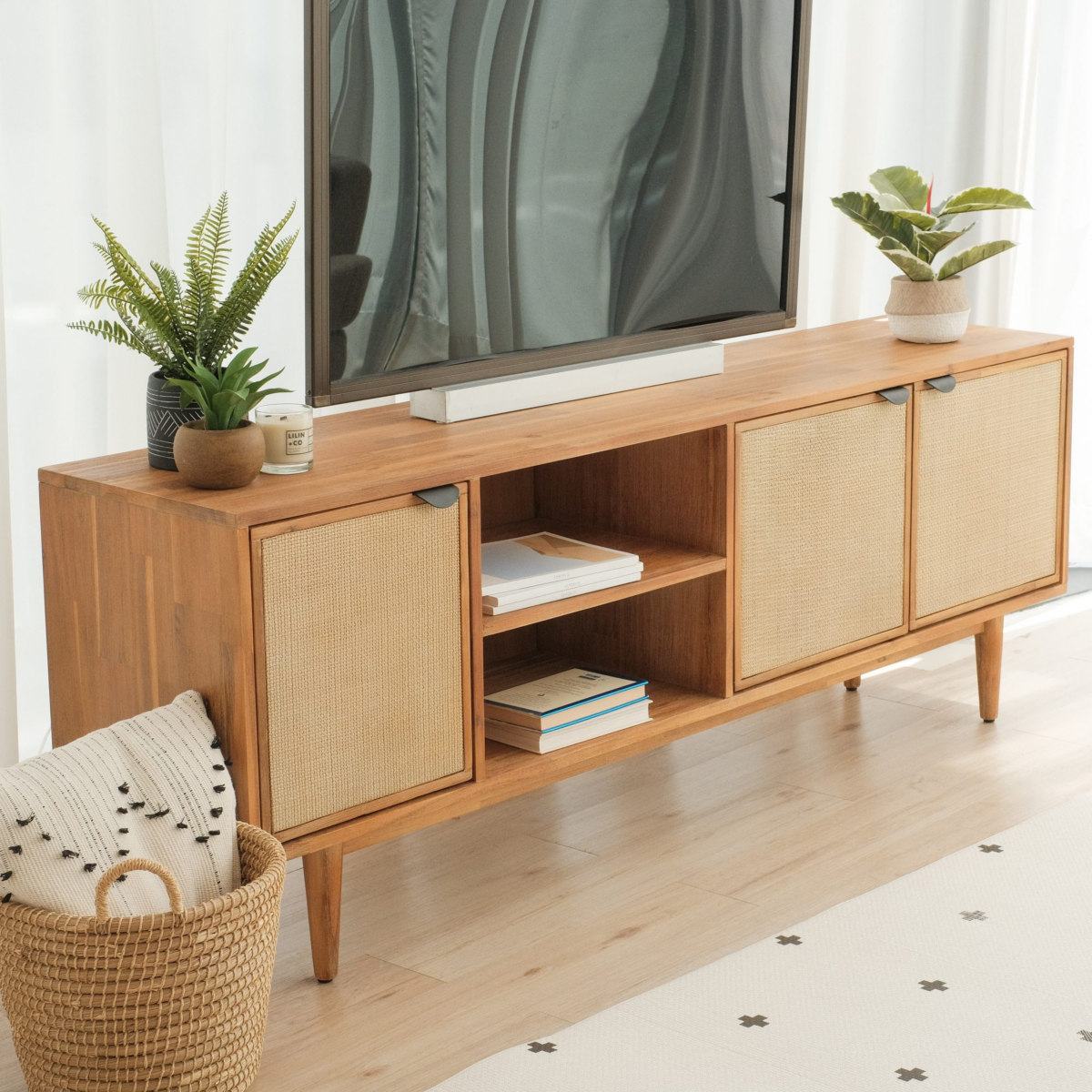
1. Measure your television, wall and room
Start with the television's actual width, not only its screen size. A TV advertised as 55 inches is measured diagonally across the screen; that number is not the unit's horizontal width. Check the manufacturer's product specifications or measure the television from side to side.
Then record:
-
the width, depth and height of the television;
-
the distance between its feet, if it will stand on the cabinet;
-
the television and equipment weight;
-
the usable width of the wall;
-
nearby doors, curtains, sockets and walkways; and
-
the space needed to open the cabinet's doors or drawers.
As a general visual guideline, choose a TV cabinet that is wider than the television. The extra width creates breathing room around the screen and provides a safer-looking, more proportionate base. There is no universal ratio for every room, however, so check the exact dimensions and leave enough clearance for circulation.
If the television will sit on the cabinet, confirm that the base or feet fit fully on the top surface and that the cabinet's stated load capacity supports the television and any other equipment. Do not estimate weight capacity from appearance.
2. Choose a comfortable TV cabinet height
The ideal height depends on your sofa, viewing distance, television size and whether the screen sits on the cabinet or is mounted on the wall. As a practical starting point, aim to position the centre of the screen around seated eye level. This can reduce the need to look noticeably up or down during longer viewing sessions.
Test the position before committing: sit where you normally watch television and mark the proposed screen centre on the wall with removable tape. If the TV will stand on the cabinet, include the height of its legs or base in your calculation.
For a wall-mounted television, coordinate the mounting height with the cabinet rather than treating them as separate decisions. Leave enough visual and practical space between the two for ventilation, cables, a soundbar or simple styling.
3. Match the storage to what you actually own
The right storage configuration depends on what needs to live near the television. List your equipment before choosing a design: set-top box, router, game console, controllers, speakers, remote controls, cables, books or children's items.
Open shelves
Open compartments provide easy access and are useful for devices that need remote-control visibility or airflow. They also make cables and equipment more visible, so they suit people who are comfortable maintaining a tidy setup.
Drawers
Drawers are useful for small items such as remotes, charging cables, controllers and instruction manuals. Internal organisers can prevent these items from becoming a single cluttered pile.
Cupboards
Closed cupboards create a cleaner look and can hold larger accessories. Before placing powered devices behind doors, check the manufacturer's ventilation requirements and make sure heat can escape.
Many homes benefit from a mixed design: open space for active electronics, plus closed storage for less attractive accessories.
4. Plan cable management, ventilation and connectivity
A TV cabinet can look beautifully minimal in a product image yet become untidy once every device is connected. Check the back and interior, not just the front.
Useful features include:
-
cable openings positioned near the relevant compartments;
-
sufficient space for plugs, adapters and extension sockets;
-
an open or ventilated back around powered electronics;
-
shelves tall and deep enough for each device; and
-
a route that keeps wires from being pinched by drawers or doors.
Measure the equipment with its cables connected because plugs require extra depth. Keep ventilation openings clear and follow the device manufacturer's placement guidance. If a router will sit inside the cabinet, consider whether the door and cabinet material could affect access or signal performance; an open shelf may be more suitable.
5. Compare materials, construction and care
A TV cabinet is used for years, so assess more than colour. Product listings may use solid timber, engineered wood, veneer, metal, glass or a combination of materials. Each can perform well when the construction and care suit the intended use.
Ask these questions:
-
What materials are used for the frame, top, doors and legs?
-
What is the maximum supported load?
-
Are shelves fixed or adjustable?
-
How should the surface be cleaned?
-
Is the finish sensitive to moisture, heat or direct sunlight?
-
Does the unit arrive assembled or require assembly?
In Malaysia's warm, humid conditions, place furniture in a reasonably ventilated area and address spills promptly. Avoid assuming that every wood-look surface has the same care requirements; follow the instructions for the specific product and finish.
6. Select a style that supports the whole living room
The television is already a strong visual element, so the cabinet should help it feel integrated into the room.
Modern and minimalist TV cabinets
Straight lines, restrained colours and discreet handles create a clean backdrop. These designs work especially well when you want the television wall to feel quiet rather than decorative.
Scandinavian TV cabinets
A Scandinavian TV cabinet remains a versatile option, but it should be treated as one style within the wider category. Look for simple forms, practical storage, natural-looking finishes and light visual weight. This approach can make a compact living room feel calmer while still providing useful organisation.
Warm wood tones
Wood tones add warmth and can connect the TV area with dining furniture, side tables or shelving. They are particularly effective in neutral interiors that need more texture.
Dark or statement finishes
Darker colours can frame the screen and create contrast. Balance them with the wall colour, floor and surrounding furniture so the media area does not feel disproportionately heavy.
Do not choose style in isolation. A cabinet that matches your storage needs and room proportions will usually look better than a fashionable design that is too small, too deep or difficult to use.
7. Find the right TV cabinet for a small living room
For a compact apartment or narrow living room, prioritise usable circulation and efficient storage. A low-profile cabinet can make the wall feel wider, while raised legs create visible floor area and a lighter appearance.
Consider:
-
sliding or drawer storage where hinged doors would block a walkway;
-
a shallower cabinet that still fits connected devices;
-
closed storage to reduce visual clutter;
-
vertical wall storage used selectively; and
-
a wall-mounted television paired with a compact cabinet below.
Avoid downsizing so far that the cabinet looks unstable beneath the screen or cannot accommodate your equipment. Compact should still mean correctly proportioned.
8. Check access, assembly and everyday use
Before ordering, measure the entire delivery route: entrance, corridor, staircase, lift and living-room doorway. Include turning space, not just the narrowest opening. Compare those measurements with the packaged or assembled dimensions shown by the retailer.
Also think about daily use. Can drawers open without hitting a coffee table? Can a robot vacuum or mop reach underneath? Are sharp corners positioned near a busy walkway? Can children access or pull on equipment? Furniture should be installed and secured according to the supplied instructions, particularly where tip-over restraints are provided or recommended.
9. Review the warranty, returns and delivery terms
Before checkout, verify the product-specific warranty, delivery area, assembly service, return eligibility and applicable fees. Keep the order confirmation and care information.
At the time this guide was updated, ruma Home's published warranty information listed limited frame-structure coverage for eligible TV cabinets purchased from 1 May 2026 onward. Its Satisfaction Guarantee also set out a 14-day return or exchange process for qualifying furniture, subject to stated conditions, exclusions, packaging requirements, location limits and fees. Policies can change, so read the current product warranty, Satisfaction Guarantee and individual product page before purchasing.
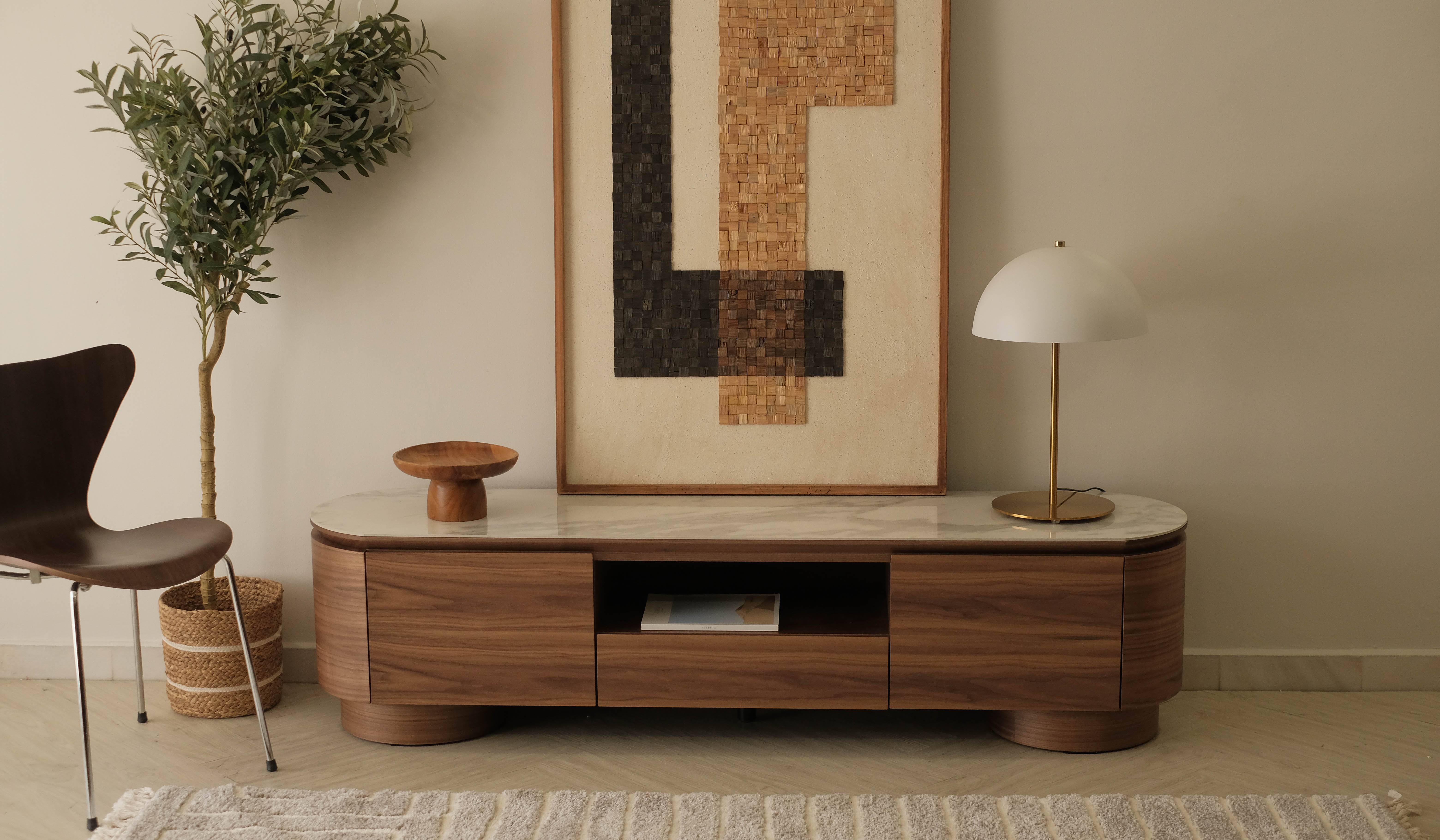
How to style a TV cabinet without adding clutter
Treat the top of the cabinet as functional negative space. One or two low objects—such as a tray, small plant or stack of books—are often enough. Keep decorations away from the screen, ventilation openings and remote-control sensors.
To make the arrangement feel balanced:
-
vary the height of small objects without reaching into the screen area;
-
repeat a colour or material already used elsewhere in the room;
-
use a tray to group remotes and small accessories;
-
conceal spare cables inside suitable storage; and
-
leave part of the surface empty.
If you use a soundbar, measure it before styling and make sure decorations do not obstruct its speakers.
Common TV cabinet buying mistakes
Avoid these frequent problems:
-
Shopping by screen size alone. The advertised diagonal size does not tell you the TV's actual width or foot position.
-
Ignoring load capacity. Confirm the manufacturer's stated limit for the cabinet and shelves.
-
Forgetting connected-cable depth. Plugs and cable bends need additional room behind devices.
-
Putting powered equipment in unventilated storage. Follow each device's clearance and ventilation guidance.
-
Choosing too little storage. Allow for controllers, routers and accessories—not only the television.
-
Overlooking door and drawer clearance. Check nearby tables, walls and walkways.
-
Skipping the delivery-route measurements. A cabinet that fits the wall may not fit through the lift or doorway.
-
Choosing appearance before function. The best design is one that works comfortably in your room every day.
TV cabinet buying checklist
Before placing your order, confirm:
-
Actual television width, depth, height and weight
-
Distance between the television's feet or base dimensions
-
Cabinet width, depth, height and load capacity
-
Available wall width and comfortable walking clearance
-
Seated viewing height and proposed screen position
-
Internal dimensions for every media device
-
Cable openings, socket access and ventilation
-
Drawer and door opening clearance
-
Delivery-route and lift dimensions
-
Assembly, care, warranty and return terms
Find a TV cabinet for your living room
The right TV cabinet combines proportion, practical storage, safe support and a style that feels at home in your space. Start with accurate measurements, decide what must be stored and compare the product specifications carefully.
Explore ruma Home's TV cabinets and consoles in Malaysia to compare dimensions, finishes and storage configurations for your living room.
Frequently asked questions about TV cabinets
What size TV cabinet should I buy?
Measure the television's actual width and the available wall space. In most layouts, a cabinet wider than the TV creates a more balanced appearance. If the television will stand on it, make sure the feet fit fully on the top and the stated load capacity is sufficient.
Should a TV cabinet be wider than the TV?
Usually, yes. Extra width gives the screen visual breathing room and leaves useful surface space. It is a design guideline rather than a fixed rule, so room dimensions, access and the cabinet's load capacity still take priority.
What height should a TV cabinet be?
Choose a height that places the centre of the screen around seated eye level as a starting point. The correct cabinet height will vary with the sofa, television, viewing distance and whether the TV is wall-mounted.
What is the difference between a TV cabinet and a TV console?
Retailers often use the terms interchangeably. “TV cabinet” may imply more enclosed storage, while “TV console” may describe a lower or more open design. Compare specifications and features instead of relying only on the product name.
Can I use a TV cabinet with a wall-mounted television?
Yes. A cabinet below a wall-mounted TV provides storage, conceals cables and visually anchors the screen. Coordinate its width and placement with the television and leave appropriate clearance for devices and ventilation.
Which TV cabinet storage is best for electronics?
Open or ventilated compartments are practical for powered electronics because they allow access and airflow. Drawers and cupboards suit remotes and accessories. Always follow each device manufacturer's ventilation guidance.
What type of TV cabinet works in a small living room?
Look for a correctly proportioned, low-profile design with efficient closed storage and enough device depth. Raised legs or a visually light finish can help the room feel less crowded, but do not compromise on stability or load capacity.
How can I hide TV cables?
Choose a cabinet with cable openings and plan its position around wall sockets. Group and label cables, keep power connections accessible and avoid pinching wires behind furniture or inside moving drawers.
Is a Scandinavian TV cabinet still a good choice?
Yes. Its clean lines, practical storage and light or natural-looking finishes suit many modern homes. Choose it because the dimensions and functions fit your room, not only because of the style label.
Reviewed by the RUMA Editorial Team
The RUMA Editorial Team reviews home and furniture content to help readers make clearer buying decisions based on space, function, and everyday living needs.
